RunFence
Windows-native isolation managed accounts and permissions, enforced by Windows

Run each app in its own account.

RunFence isolates Windows apps by launching each one under a dedicated local account, so personal files, browser data, credentials, and secrets stay separated from the rest of the desktop.

🪟 Windows 10+ 🔐 Encrypted credential vault ⚙️ Admin GUI 📦 Source-available under EL2
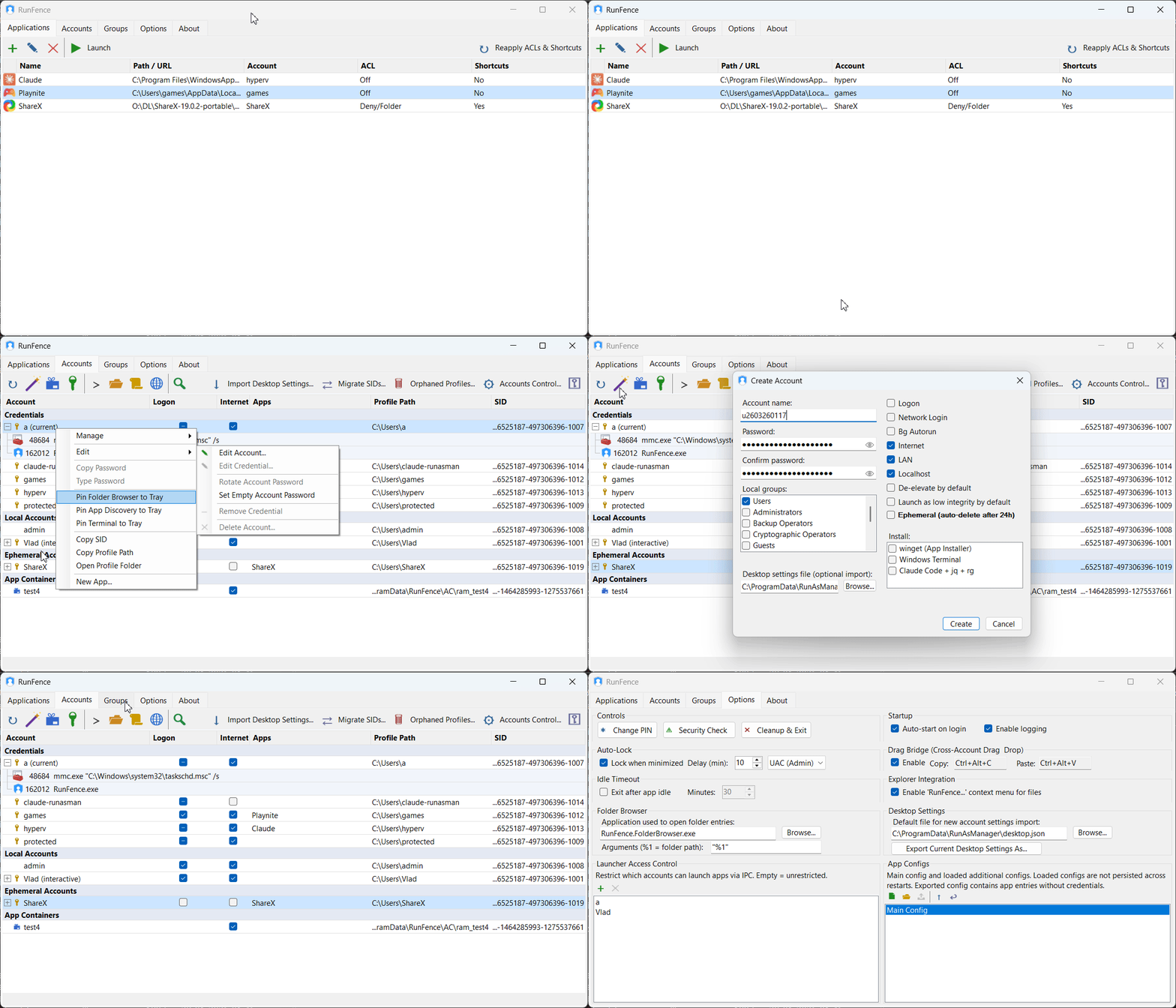
RunFence main window with application list

Use cases that matter most

The first questions are usually about protecting a wallet, isolating a browser, or running Claude Code without giving it access to the rest of the machine.

Crypto wallet protection

Keep wallet files and private keys away from unrelated processes, browser sessions, and casual app access.

Browser profile isolation

Separate passwords, cookies, and history so other apps cannot reach a sensitive browsing session.

Elevated apps

Launch specific apps with administrator rights without repeated UAC prompts or typing credentials every time.

Untrusted software

Run unfamiliar apps under a restricted account that cannot reach your documents or personal credentials.

What RunFence adds

Windows already enforces account boundaries. RunFence makes those boundaries practical to set up and practical to use.

One-click launch under another account

Store the account once, then launch the app without entering the password every time.

Encrypted credential vault

Store account passwords locally with DPAPI, AES-256-GCM, and Argon2id-based key derivation. No credentials leave the machine.

Optional stronger sandboxing

Use AppContainer or low-integrity mode when the application can work within tighter restrictions.

Feature set

The GUI covers app isolation, account management, firewall controls, shortcuts, and safety checks.

Application isolation without virtualization

Each app runs under a real Windows account, with the OS enforcing the boundary rather than a third-party interception layer.

Per-app internet blocking

Block Internet, localhost, or LAN for the account running the app, and keep custom allowlist exclusions for destinations that still need access.

Startup security scanner

Detect risky write access to auto-run locations such as startup folders, registry run keys, services, scheduled tasks, and more.

Account ACL Manager

Set deny or allow rules for folders, drives, and AppContainer SIDs. Clean up ACL entries automatically when accounts are deleted.

Shortcuts and tray launching

Launch isolated apps from the desktop, Start Menu, or any folder without opening the main window first.

Cross-user drag and drop

Move files between windows owned by different accounts with a lightweight bridge and hotkeys.

How it works

Create a dedicated account, define the access it should have, and launch the app through RunFence.

1

Create an isolated account

Use a dedicated local Windows account for the app you want to contain.

2

Grant only required access

Use the ACL manager to allow specific folders, shared data, or special app paths.

3

Launch from RunFence

Run the app with one click while RunFence handles the account credentials.

4

Keep the workflow simple

Use shortcuts, tray launch, Explorer context menu integration, and cross-user file transfer when you need them.

Why native Windows accounts beat driver-based sandboxes

RunFence relies on Windows account isolation instead of a third-party layer that has to intercept behavior in the middle.

Capability RunFence Driver-based sandbox
Kernel driver required No Yes
Interception layer None Yes — bypass vectors exist
Performance Native Degraded
Enforcement model Windows account boundaries Third-party driver

Evaluation and pricing

Free for non-commercial use with no time limit. Paid licenses are per machine and unlock commercial use and full feature access.

Evaluation

Free for non-commercial use. Includes periodic reminders and limits on certain advanced capabilities.

Paid license

Per-machine licensing for commercial use, with local validation and no server-side phone-home checks.

Source-available

The published source is available for auditing and contributions, with policy details in the repository.

FAQ

A few questions that matter for real deployments.

Can I share files between my main account and an isolated one? Use a shared folder with explicit permissions or the built-in cross-user drag-and-drop bridge for ad-hoc transfers.
Can an isolated app read my personal files? Standard Windows user folders are inaccessible to other accounts by default. For paths outside those defaults, the Account ACL Manager lets you define additional rules.
What happens if I need to move files between accounts? Use a shared folder with explicit permissions or the built-in cross-user drag-and-drop bridge for ad-hoc transfers.

Try RunFence on a Windows 10+ machine.

Download the release and set up the accounts you need for wallets, browser isolation, and tools like Claude Code.